
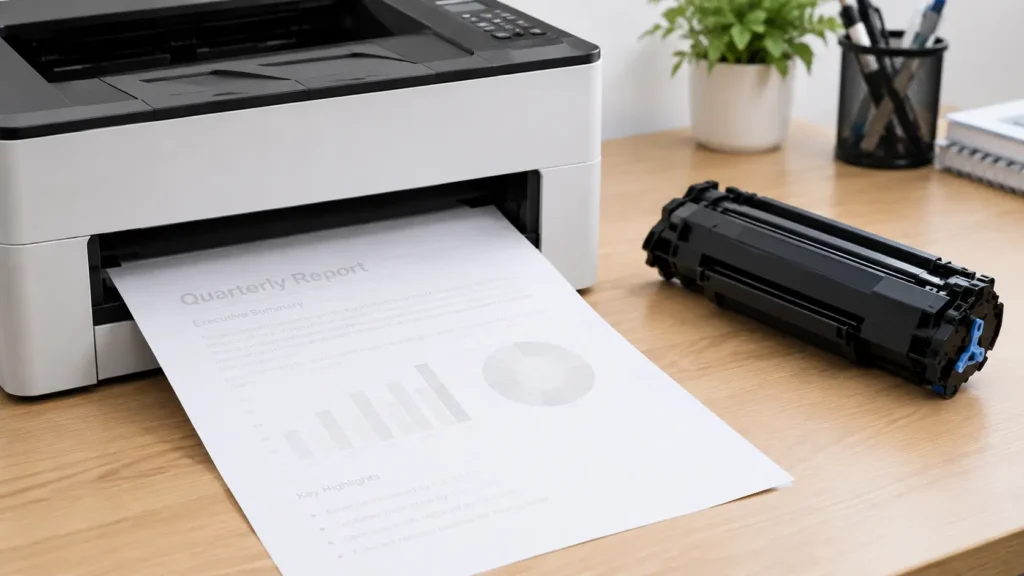
It can be frustrating when your printer says the toner is full, but the documents coming out are still light, faded or difficult to read. At first, it seems like the printer must be giving you the wrong information. In many cases, though, the toner level isn’t the real problem.
At Laserfast, we see this type of issue regularly. A printer can report plenty of toner remaining and still produce faint prints because the toner isn’t being transferred properly, the cartridge isn’t feeding correctly, or another part of the print system is starting to wear. Sometimes the problem is simple to resolve, while other times the printer needs a closer inspection.
Why Is My Printer Printing Faint When the Toner Is Full?
A toner-level reading doesn’t always tell you how well the printer is actually producing a print. The printer may estimate the remaining toner based on cartridge usage, but that doesn’t necessarily mean the toner is being distributed evenly across the page.
One of the first things we look at when diagnosing faint printing is the actual print quality. If the entire page is consistently light, the toner cartridge or toner delivery system may be the issue. If only certain areas of the page are faint, there could be a problem with the drum, developer or another component involved in transferring the toner onto the paper.
The Toner Cartridge May Not Be Working Properly
Even when a printer reports that a cartridge has plenty of toner left, the cartridge itself can still cause poor print quality. Toner can sometimes become unevenly distributed inside the cartridge, particularly if the cartridge has been sitting for a while or has been used heavily.
We have also seen cases where a cartridge is recognised correctly by the printer but isn’t performing as it should. This can happen with both genuine and compatible cartridges. Checking the cartridge and, where appropriate, replacing it with a known-good cartridge can help determine whether the toner supply is actually causing the problem.
The Drum Could Be Wearing Out
The drum is another common cause of faint prints, particularly on printers that have been in regular use for several years.
The drum plays an important role in transferring the toner image onto the paper. As it wears, print quality can gradually deteriorate. You may notice lighter text, uneven areas, grey backgrounds or sections of the page that don’t print as strongly as they used to.
A printer can therefore show a healthy toner level while still producing poor-quality documents because the problem isn’t the amount of toner — it’s the component responsible for transferring it.
Your Printer Settings Can Also Make Prints Look Faint
Before replacing anything, it is worth checking the print settings. Many business printers have options such as Draft, EconoMode, Toner Save or similar settings designed to reduce toner consumption.
These settings can be useful when printing internal documents, but they can make text and images noticeably lighter. If the printer was recently changed, reset, or connected to a different computer, the print driver may also have different default settings.
Try printing a normal-quality document after checking the printer’s quality settings. If the print is still faint, the issue is more likely to be related to the cartridge or printer hardware.
Dirty Printer Components Can Affect Print Quality
Printers operate in a dusty environment, and toner particles can build up inside the machine over time. Depending on the printer model, contamination around the drum, transfer components, rollers or other areas can affect how the toner reaches the page.
This is one reason regular printer servicing is worthwhile for busy workplaces. Cleaning isn’t always the complete solution, but during a service we can identify whether dirt, toner build-up or worn components are contributing to the problem.
Paper Can Make a Difference Too
The paper being used can also affect how a print looks. Damp, unsuitable or poor-quality paper may not accept toner as expected, particularly when the printer is being used for heavier or specialised media.
If the problem only appears with a particular type of paper, try printing on standard paper that is suitable for your printer. This can help determine whether the paper is contributing to the issue.
What Should You Check First?
If your printer says the toner is full but the prints are faint, start with the simple checks before assuming the printer needs major repairs.
Check the print quality settings and make sure Toner Save or Draft mode isn’t enabled. If the printer uses a separate drum, check its condition and expected service life. You can also try another suitable toner cartridge if one is available.
If the faint printing continues across different documents and settings, the problem may need a proper inspection rather than another toner replacement.
When Faint Printing Needs a Printer Service
If you have already replaced the toner and the printer is still producing faint documents, repeatedly buying new cartridges may not solve the problem. The printer may have a worn drum, transfer component, developer system or another internal issue.
This is where having the printer assessed by an experienced technician can save time and unnecessary replacement costs. At Laserfast, we look at the actual print quality and the condition of the printer rather than simply assuming that the toner cartridge is at fault.
We service and repair printers from major brands including HP, Brother, Canon, Lexmark, Kyocera, Ricoh, Fuji Xerox and others. If a part needs replacing, we can assess the machine and provide a quote before proceeding.
Don't Ignore Faint Prints If They Are Getting Worse
A printer that produces slightly faint documents today may become much more difficult to use if the underlying issue continues. For a business that relies on printing invoices, reports, forms, labels or customer documents, poor print quality can quickly become an everyday inconvenience.
If your printer says the toner is full but your prints are coming out faint, don’t automatically assume you need another toner cartridge. The toner level is only one part of the printing process, and the actual cause may be somewhere else inside the machine.
If you’ve tried the basic checks and the problem remains, Laserfast can inspect the printer, identify the likely cause and advise you on the most practical repair or service option.